The questions that decide whether you self-host, answered plainly.
Is Backchannel free?
Yes. Backchannel is open source under the MIT License, with no hosted tier, no seat pricing, and no feature paywall. Your only costs are your own hardware and any Gemini or OpenAI API usage you configure.
Does my meeting audio leave my machine?
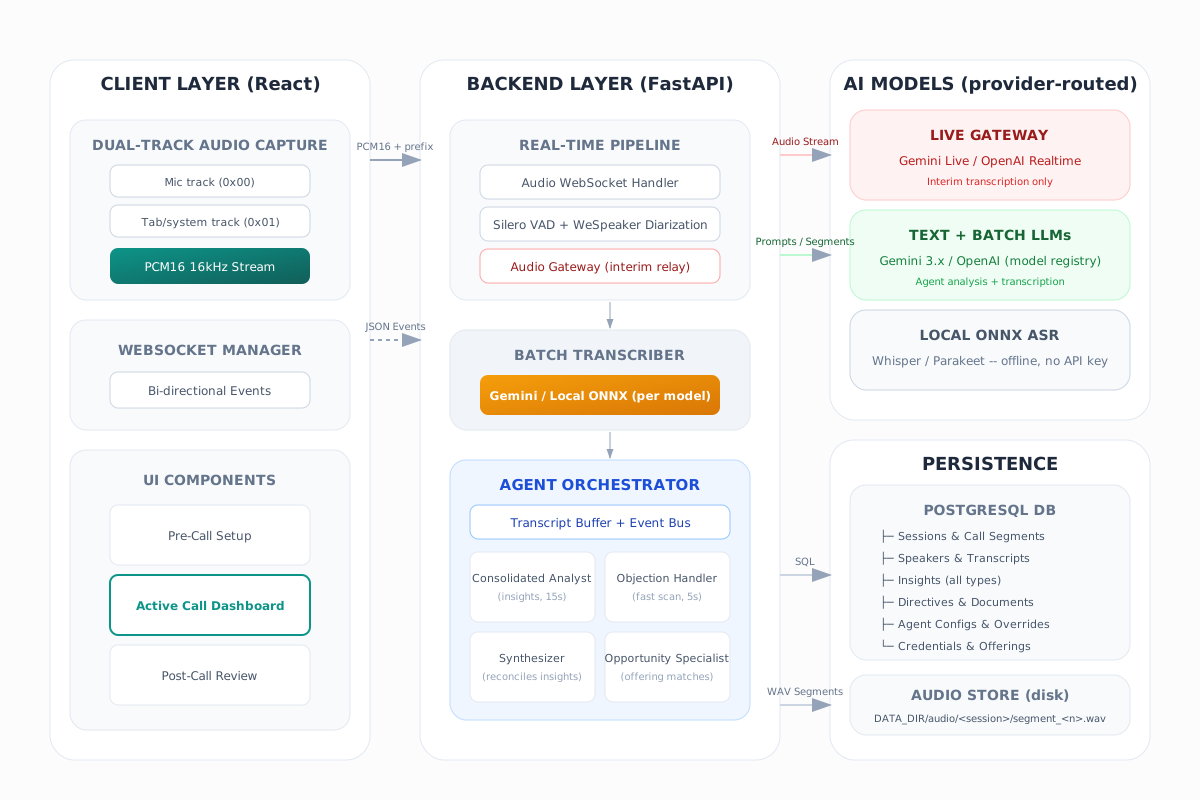
Only where you route it. Voice activity detection and speaker diarization always run locally, and a fresh install uses built-in local batch transcription. Agent models stay unselected until you choose Google, OpenAI, or a self-hosted OpenAI-compatible server such as Ollama or LM Studio. With the PII Shield on, audio is held to a local model outright, because audio cannot be tokenized. Recordings and transcripts stay on your server.
What does the PII Shield keep out of the model?
People's names, company names, email addresses, phone numbers, card and national-ID numbers, IP addresses and street addresses. Each becomes a token such as [PERSON_1] the moment a transcript line, directive, document excerpt, session name or speaker name is written, so every agent, the briefing, chat and Ask work from tokens whether the model is local or in the cloud, and the database holds only tokens. Detection runs entirely on your machine. The real values live in a vault encrypted under the same master key as your provider keys and are put back only on your screen. The shield is off by default; turn it on in Admin -> Privacy.
Does it work with Zoom, Google Meet, Teams, and in-person meetings?
Yes -- any meeting, digital or in person, because it never joins the call. Backchannel captures your microphone and, optionally, tab or system audio directly in the browser, so there is no bot participant and no per-platform integration to install. For a conference room or an in-person conversation, the microphone alone carries the meeting, with diarization separating the voices. Cross-platform coverage is no longer unique: Google's take-notes-for-me now reaches meetings hosted on other providers, and Zoom's assistant can join Meet and Teams. Both do it as a visible bot in a vendor cloud, and neither can sit in a room.
How is it different from Otter.ai and other cloud note-takers?
Real-time help is no longer rare: Otter shipped Live Assist in July 2026 and Zoom's Sales Assist reached general availability a day later. Both are Enterprise-priced and tied to their own platform, and like Fireflies.ai and Granola they run in a vendor cloud. Backchannel is self-hosted, MIT licensed, and joins no call as a bot, and its objection handler generates a response to the objection actually raised, every 10 seconds over the freshest 90 seconds of speech.
Can I ask a question during the meeting?
Yes. The call's command bar answers from the conversation as it stands — the live transcript, the insights raised so far, strategic signals, your directives, and the summaries of attached documents. Recording continues while it answers, the answer is saved with the call and starred, and it exports alongside every other insight. You pick which model answers, including a model running on your own hardware.
Do I need a GPU?
No. CPU-only Docker Compose is the default. An NVIDIA GPU can accelerate diarization via a compose override, and AMD GPUs on Windows are supported with a native backend setup script.
What do I need to run it?
Use the desktop app for the easiest start: download the build for Windows, macOS, or Linux, unpack it, and run the app. Built-in local batch transcription needs no API key. Agents start as Not selected: connect Google, OpenAI, or a self-hosted service if you want its models, then choose explicit models in Admin. Recommended marks a good starting point. Use Docker Compose when you want the full self-hosted stack, local development, or GPU diarization.
 backchannel

![The Privacy tab's try-a-sentence box. Typed in: Owen Delacroix from Alderwake Health Network owns the identity approval, reach him at owen.delacroix@alderwake.example or 212-555-0142 before the board review. Shown as a model would receive it: [PERSON_1] from [ORG_1] owns the identity approval, reach him at [EMAIL_1] or [PHONE_1] before the board review. A legend gives each token's value and whether the on-device name model or a pattern found it.](assets/shots/pii-preview-dark.webp)